
Field notes · Seestar
How to Shoot a Seestar Mosaic: What 27 Panels Taught Me
Field rotation, overlap, matching depth, plate solving and blending, from a 19-panel Veil and an 8-panel Heart & Soul on two Seestars
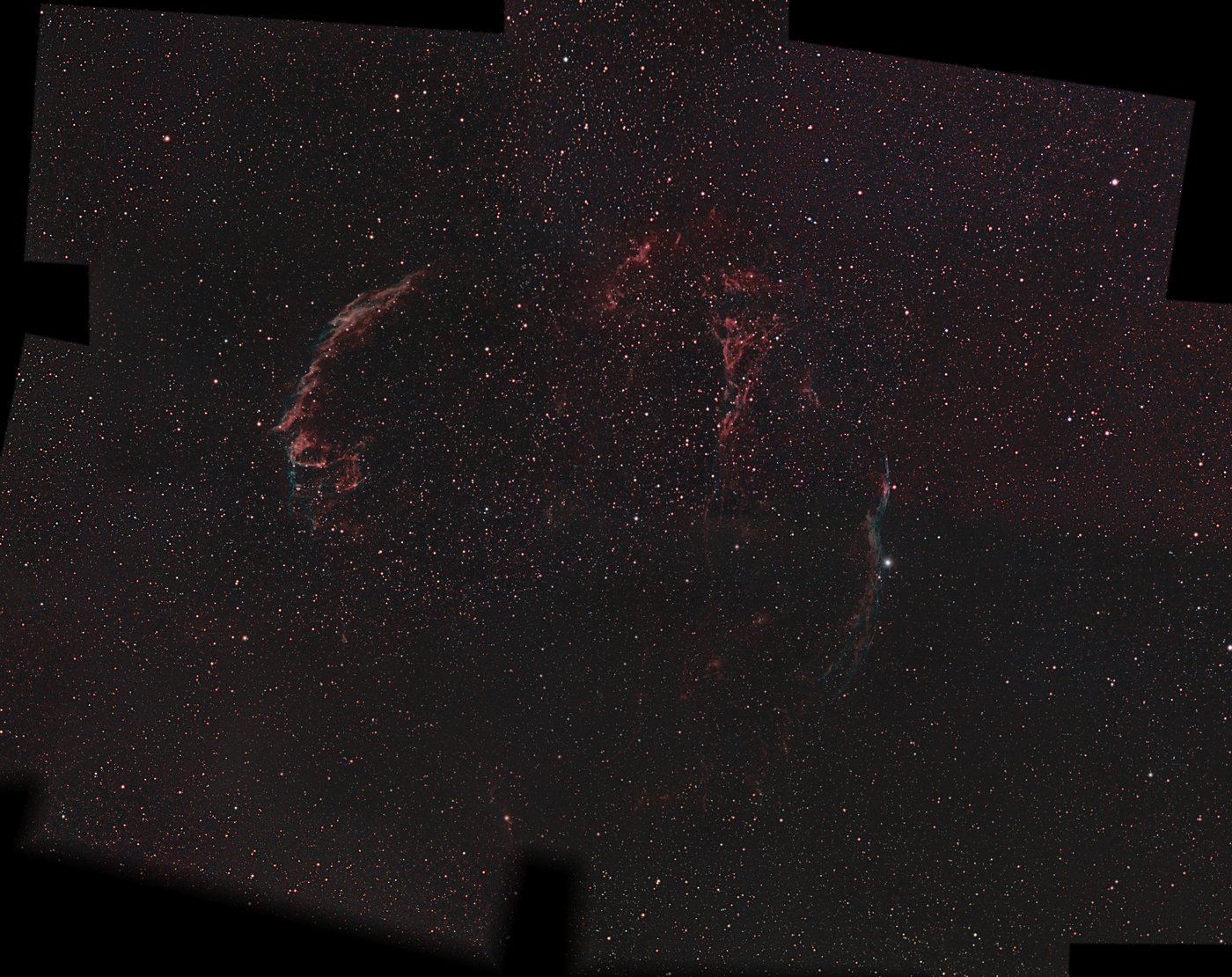
How to shoot a Seestar mosaic: the short answer
Plan panels in sky coordinates with generous overlap. On an alt-az Seestar, plan for the frame rotating from night to night. Give each panel about as much exposure as its neighbors, not as much as you can. Plate-solve every finished panel (match its stars against a catalog to find exactly where it points). Then match brightness where panels overlap and blend.
That recipe built two mosaics in this journal: the Veil Nebula from 19 panels (about 23 hours) and the Heart & Soul from 8 panels (about 26 hours), on a Seestar S50 and a Seestar S50 Pro.
Why mosaic at all
A Seestar S50 frame covers about 1.3 × 0.7 degrees of sky, and even the S50 Pro’s is only about 2.4 × 1.35 degrees (measured from my own plate solves; the 2.8 degrees on spec sheets is the diagonal). The Veil Nebula spans about three degrees, six full moons, and the Heart and Soul together about five degrees. To get the whole object at full resolution, with room to frame it, you shoot it in pieces and assemble them.
The app’s mosaic mode vs planning your own panels
The Seestar app has a mosaic mode built in, and for a target you can cover in one night it is the easy route. I plan my own panels when the mosaic is bigger than one night can cover, when it reuses sessions I’ve already shot, or when it spans two telescopes. Each panel then goes to the scope as an ordinary target by coordinates.
Plan in sky coordinates, and expect small misses
Each panel is just a target with a right ascension and declination. I lay the panels out in J2000 coordinates (the standard sky grid star catalogs use) with overlap between neighbors. When I checked where the planned panels actually landed, they came in within 0.3 to 6.7 arcminutes of the plan: close, but that is exactly why the overlap needs to comfortably exceed your worst miss.
Plan around field rotation
In alt-az mode (the Seestar’s default, tracking in altitude and azimuth) the frame’s orientation on the sky drifts during a night and differs between nights. A panel shot on Tuesday can sit rotated against its neighbor from Saturday, which leaves wedge-shaped gaps along the seams.
The fix is to plan with the part of the frame that survives any rotation, the circle inside the rectangle, rather than the rectangle itself. It costs extra panels and fill-ins. Equatorial (EQ) mode, with the scope on a wedge and polar-aligned, keeps the orientation fixed, which is why a clean grid of panels is far easier there.
Match neighbors’ depth, not the maximum
Signal-to-noise grows only with the square root of exposure time, and a seam shows where depth changes. So plan each panel to come close to its neighbors’ depth rather than as deep as possible; the seam is set by the thinner side. The Veil’s corner panels got 50 to 66 minutes each, planned against neighbors of about 85 minutes.
Budget overhead too. Every panel costs a slew, focusing and plate solving before the first useful sub; in my runs that was around a dozen minutes per panel, which adds up across a 19-panel plan.
Plate-solve every panel against a real star catalog
Before blending, I solve every stacked panel against ESA’s Gaia DR3 star catalog with my own script; ASTAP and astrometry.net are free solvers that do the same job. Solving pins each pixel to its true position on the sky, and it is what makes panels shot weeks apart, on two different telescopes, line up.
It also caught a real mistake. An early version of the Heart & Soul said there was a gap between panels and asked for a fourth. The software placing the frames had been matching star patterns that only looked alike. Checked against the catalog, the error was obvious, and the panels already touched. An instrument can’t verify itself; check it against a reference that doesn’t share its assumptions.
Blend: match brightness in the overlaps
Each solved panel is warped onto one shared canvas. Where two panels overlap, I match their brightness and contrast using the sky they share, then blend with weights that fade toward each panel’s edges and favor panels with more exposure time. I do this with my own Python scripts; Siril and PixInsight can also assemble plate-solved panels.
One detail that matters: fade only the outer border of the mosaic. Fading around interior holes leaves dark halos inside the picture.
Use the sessions you already have
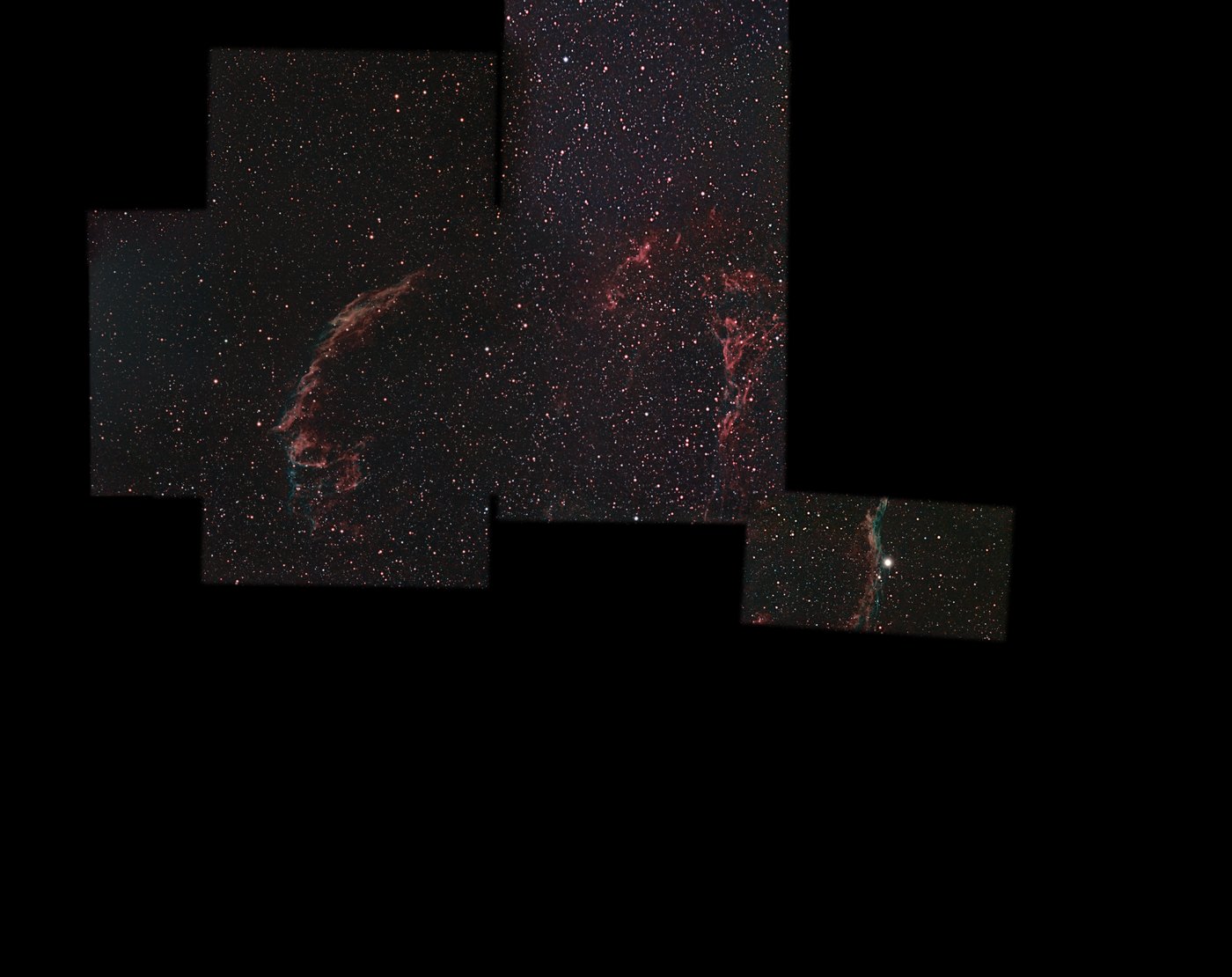
The Veil’s first five panels were separate sessions from September and early October, shot before there was any plan to join them. Plate solving made them usable, and the new panels were planned around them. Old single-target sessions are mosaic inventory.
If it is going on a wall, plan to 100%
A mosaic’s edges are ragged, so a print means cropping to a rectangle. I first planned the print rectangles to 99.6% coverage, and the missing 0.4% still showed as black slivers; it took one more night and three small panels to fill them. Plan every pixel of the final rectangle, and keep a coverage map of what is shot, scheduled and still missing.
This work has made use of data from the European Space Agency (ESA) mission Gaia (https://www.cosmos.esa.int/gaia), processed by the Gaia Data Processing and Analysis Consortium (DPAC, https://www.cosmos.esa.int/web/gaia/dpac/consortium). Funding for the DPAC has been provided by national institutions, in particular the institutions participating in the Gaia Multilateral Agreement.